Terminal Operations
Lets' Make Genie Work for You 🧞♂️
Genie is packed full of features, so the first thing you'll want to do is tailor it to your business setup.
Every feature on Genie can be toggled on/off either on the device, or in Lamp.
This lets you streamline Genie and make it work for your operation.
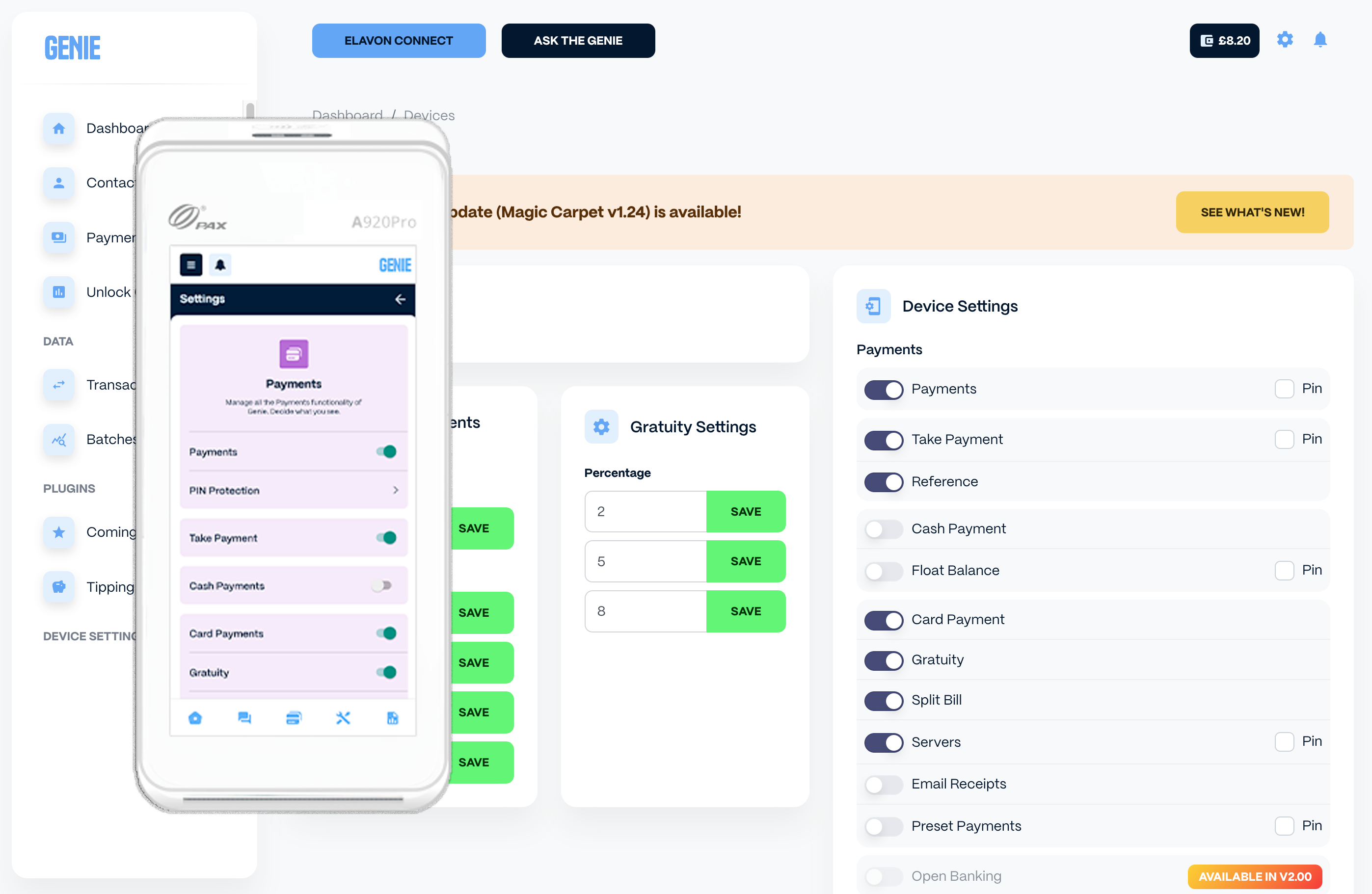
On the device, head to Settings by tapping the three-line menu icon in the top left and selecting 'App Settings', where you can easily select which features you want to show up on the app.
(Note: You will need your Genie Supervisor Pin to access settings. The default Pin is 1234.)
To toggle the features on/off in Lamp, Use the left-hand navigation menu
- Under 'Device Settings' click 'Devices'
- Find the Device you wish to change the settings on and click 'Config'
- You will see the background page in the screen above, where you can toggle each feature on/off as desired.
For more information on what each feature of Genie does, check out the next Article, Genie Explained.